
How To Purchase Sparkbooth
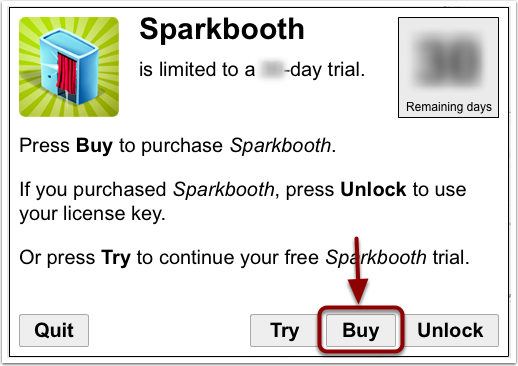
- Start Sparkbooth and press the Buy button
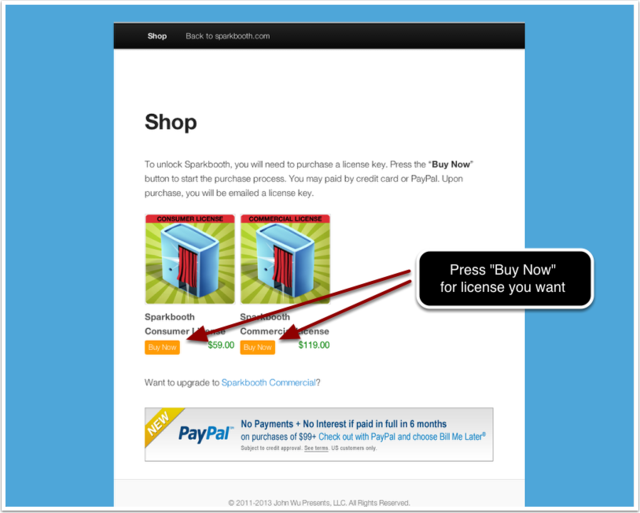
- Press Buy Now for the license type to purchase
Note: If you are a business or using Sparkbooth to make money, you need to purchase a Premium (Commercial) license. Personal (Consumer) licenses are for personal use only.
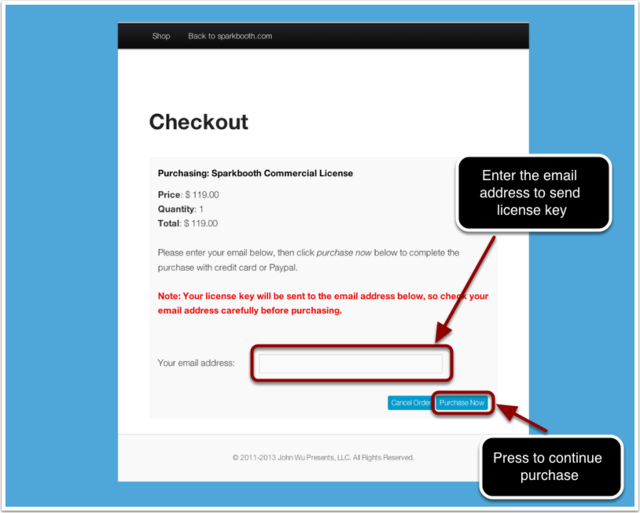
- On the Checkout page, enter your email address and press Purchase Now
Please double check your email address is correct since the license key will be sent to this email address.
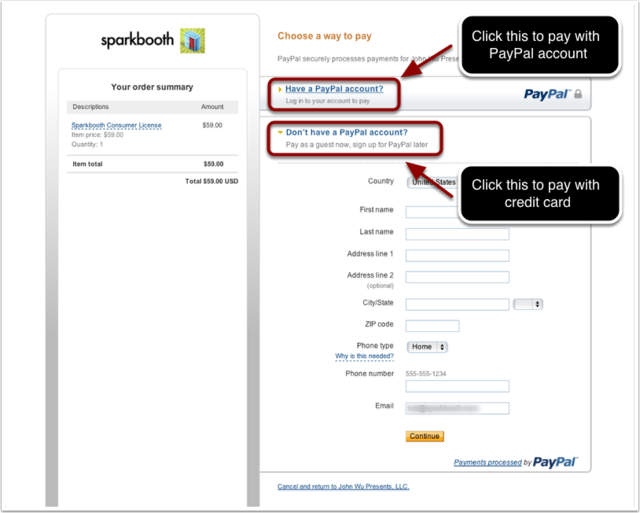
- You will be taken to PayPal to complete the purchase. You can pay with your PayPal account or credit card (Visa, Master Card, Discover, or American Express).
If you want to pay with credit card, select the "Don't have a PayPal account" opion to pay with your credit card.
- After submitting your payment information or signing into PayPal, review the purchase and press Pay Now
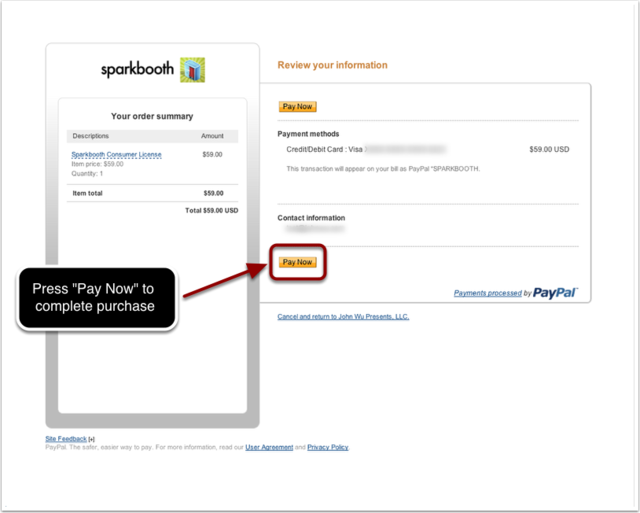
- When you have completed your purchase, click the Return to Sparkbooth link, and your order and license key will be emailed to you.
Please save a copy of the email, you will need the license key information to Activate (Unlock) Sparkbooth and to reinstall or activate on another computer. If you do not receive your license key, you can have it emailed to you from the lost license page.
Note: Having problems completing the purchase? If you are outside the United States, PayPal may require you to make payment using a PayPal account. You can still use a credit card by adding it to the account. The account can be deleted after payment is made. If that does not work, contact us and we can send you a PayPal invoice to make payment.
How to Unlock Sparkbooth
- Open your Sparkbooth Purchase Confirmation email, and copy the license key.
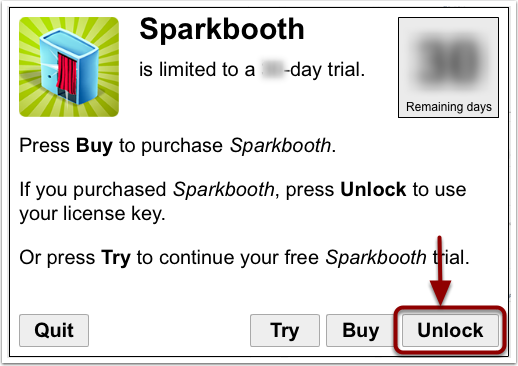
- Start Sparkbooth and press Unlock
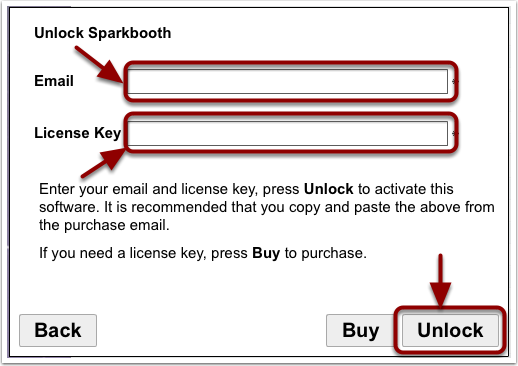
- Enter your email address and license key from the purchase confirmation email, and press Unlock to activate Sparkbooth
It is recommended that you COPY and PASTE the License key and email from the license email to avoid any typos. If you have any issues, please check the FAQ.
Sparkbooth is now unlocked and activated, it will no longer be in Trial mode, and the "demo" watermark will no longer be applied to new photos taken. Please note: watermarks are not removed from photos taken before unlocking Sparkbooth and any photos taken in Trial will always have the "demo" watermarks, (Activation does not remove watermarks from photos taken in Trial version) so make sure you purchase and Activate (Unlock) a license before your event.