GIF and Boomerang Photo Booth Software
Included with every Sparkbooth Premium and Sparkbooth DSLR license — not a paid add-on.

Sparkbooth Premium and DSLR include GIF Booth mode for creating animated GIFs from a burst of photos. Add static or animated overlays to brand each clip, and switch on boomerang or rewind to make loops that play forward and then backwards. Guests get the finished GIF on their phone through email, SMS and QR code sharing.
Free 30-day no obligation trial. Photos are watermarked during trial.
For Premium, Windows 10 or later, Mac OS 13.7 or later, Webcam, 4GB or more RAM, and i3 processor or better (2.0 Ghz or faster) recommended.
For DSLR, Windows 10 or later, Mac OS 13.7 or later, compatible Canon, Nikon or Sony camera, 4GB or more RAM, and Intel i5 processor or better (2.7 Ghz or faster) recommended.
Boomerang and Rewind GIFs
A GIF booth takes a burst of photos and turns it into a short animated loop. Switch on boomerang or rewind and the loop plays forward and then backwards, the effect guests know from their phones, made by the booth instead of by them.
Brand each boomerang GIF with a static or animated overlay, then send it to guests by email, SMS or QR code while the printed strip comes out of the printer. The same loop works from a mirror booth or a DSLR photo booth.
A GIF Booth Is Still a Full Sparkbooth
GIF Booth is a mode, not a separate app. Everything else you run at an event — touchscreen signing, green screen, custom layouts and email, SMS and QR code sharing — works alongside it.
Simple and Easy
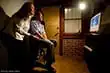
Install Sparkbooth on any Windows or Mac computer with a webcam, pick GIF Booth mode, and you are ready to go. Add some props and a backdrop and the party runs itself.
Touchscreen Enabled
Guests sign, draw and drag virtual props onto their photos with a touchscreen or mouse. Use your own image files as stickers.
Green Screen

Swap the backdrop for a scene from Sparkbooth's library or the client's own artwork, so one physical setup covers every theme you sell.
Drag-and-Drop Layout Editor
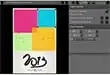
Design the printed strip or 4″ × 6″ keepsake that goes with the GIF in the visual layout editor, with the client's logo in the corner.
Email your photos
Guests type in their address on the booth screen and Sparkbooth sends the GIF through your own email service or SMTP server. Sharing queues up when the venue Wi-Fi drops.
Text Photos to Mobile Devices
Send the GIF straight to a guest's phone by SMS through your messaging provider, or show a QR code on screen that they scan to pick it up — no typing at all.
GIF Booth Is Included in Both Licenses
GIF Booth mode is part of Sparkbooth Premium and Sparkbooth DSLR — a one-time, non-expiring license with three activations and commercial use included. There is no GIF upcharge, no monthly fee and no charge per event.
- Webcams, including 4K
- Lifetime license, 3 activations
- Commercial and business use
- Free updates within version 7
- Windows and macOS
- Everything in Premium
- Canon, Nikon and Sony cameras
- Lifetime license, 3 activations
- Commercial and business use
- Windows and macOS
Lifetime, non-expiring license — not a subscription. Not sure yet? Try the full app free for 30 days — no credit card, no obligation. Trial photos are watermarked. See the full feature comparison or upgrade an older license.
GIF and Boomerang Photo Booth Questions
Which license includes the GIF booth?
Both. Premium ($159 USD) covers webcams; DSLR ($199 USD) adds Canon, Nikon and Sony cameras. GIF Booth mode is included either way — it is not a paid add-on.
Can I add overlays and branding to GIFs?
Yes. Place a static overlay or an animated overlay on top of every frame — a logo, an event hashtag, a sponsor frame or the couple's names — so each GIF carries the client's branding when it is shared.
Can guests get their GIF by text, email or QR code?
Yes. Email, SMS and QR code sharing all work for GIFs just as they do for photos. Guests enter an email address or mobile number on the booth screen, or scan a QR code shown on screen to open the GIF on their phone. SMS goes through your own messaging provider.
Can Sparkbooth make boomerang GIFs?
Yes. GIF Booth mode records a burst of photos, and the boomerang or rewind option makes the loop play forward and then backwards.
Does the GIF booth work with a mirror booth or a DSLR?
Yes. GIF Booth mode runs alongside mirror booth mode, and with a Sparkbooth DSLR license it works with Canon, Nikon and Sony cameras.
Is the GIF booth a separate app?
No. GIF Booth is a mode of Sparkbooth Premium and DSLR, so signing, green screen, layouts and sharing all keep working with it.
Explore Sparkbooth
Webcam Photo Booth · DSLR Photo Booth · Mirror Booth · AI Photo Booth · Start a Photo Booth Business
GIF Photo Booth · Photo Kiosk · Layout Editor · Photo Booth for Events · Wedding Photo Booth